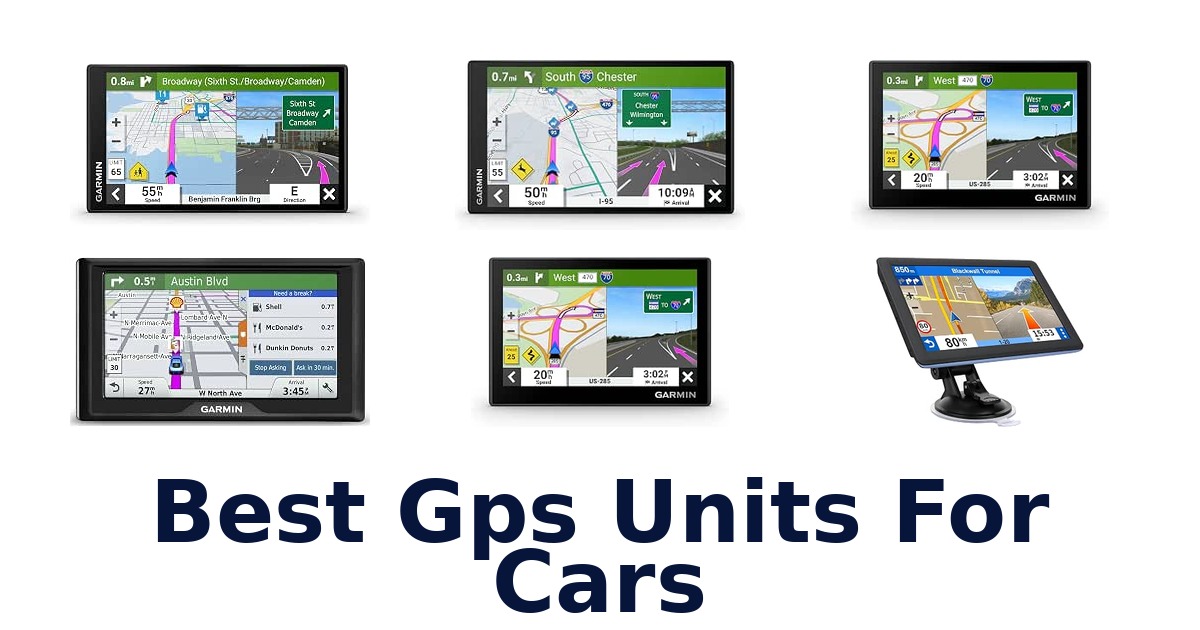
A strong car GPS unit gives drivers clear route guidance on a screen they can read comfortably, with vehicle compatibility and useful navigation features suited to their trips. This lineup includes compact Garmin navigators, larger-screen DriveSmart models, and 7-inch alternatives with multi-vehicle routing. The Garmin Drive 7.1-inch model leads for its high-resolution display, spoken turn-by-turn directions, lane assist, Bluetooth, and 32 GB of storage.
Screen sizes range from 4.97 to 8 inches, so dash space and viewing preference matter. Some models list traffic features or driver alerts, while others emphasize straightforward touchscreen navigation or custom routing.
Check the listed vehicle fit and included mounting and power accessories, then consider whether you want a simple dedicated navigator or additional connected features.
The Garmin Drive 7.1-inch is the strongest overall choice in this group because it combines a high-resolution 7.1-inch display with spoken turn-by-turn directions, lane assist, Bluetooth, and 32 GB of memory. It is listed for cars and trucks and includes a suction-cup mount and vehicle charger. Drivers wanting a smaller screen can consider the Garmin Drive 53, while the Garmin DriveSmart 76 offers a larger 6.95-inch screen and voice assist.
Our Top Picks
 Best Overall
Its 7.1-inch high-resolution screen, spoken directions, lane assist, Bluetooth, and 32 GB storage make it a well-equipped car and truck navigator.
View on Amazon Best Large Screen
The 6.95-inch display is among the largest listed, and the package includes a suction-cup mount and traffic receiver/vehicle power cable.
View on Amazon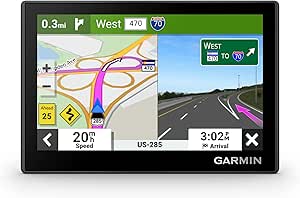 Most Compact
At 4.97 inches, it has the smallest listed screen and weighs 2.43 ounces, with a suction cup and vehicle power cable included.
View on Amazon- Best Driver Alerts Garmin DriveSmart 66 EX
- Best Connected Features Garmin DriveSmart 55
Compare Features and Best Uses
| # | Product | Screen Size | Compatible with Vehicle Type | Weight | Buy |
|---|---|---|---|---|---|
| 1 | 1. Garmin Drive 7.1-inchBest Overall | 7.1 in | Car, Truck | 7.86 oz | View on Amazon |
| 2 | 2. Garmin DriveSmart 76Best Large Screen | 6.95 in | Car | 8.45 oz | View on Amazon |
| 3 | 3. Garmin Drive 53Most Compact | 4.97 in | Car | 2.43 oz | View on Amazon |
| 4 |  4. Garmin DriveSmart 66 EXBest Driver Alerts | 6 in | Car | — | View on Amazon |
| 5 |  5. Garmin DriveSmart 55Best Connected Features | 5.5 in | Car | 5.3 oz | View on Amazon |
| 6 |  6. Garmin DriveSmart 86Large-screen Garmin navigation | 8 in | Car | — | View on Amazon |
| 7 | 7. Garmin Drive 53 RenewedSimple touchscreen car navigation | 4.97 in | Car, Minivan, RV, SUV | 2.43 oz | View on Amazon |
| 8 |  8. LMCOWRE 7-inch GPSMulti-mode route planning | 7 in | Car | — | View on Amazon |
| 9 |  9. LMCOWRE 7-inch Multi-Vehicle GPSTruck and RV route planning | 7 in | Car, RV, Truck | — | View on Amazon |
| 10 | 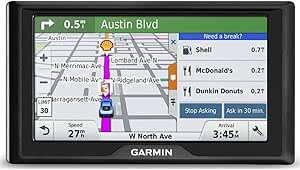 10. Garmin Drive 60Driver-alert focused navigation | 6 in | Car, Minivan, SUV | 8.48 oz | View on Amazon |
Detailed Reviews: Best Gps Units For Cars
#1 · Best Overall
1. Garmin Drive 7.1-inch
- Screen Size: 7.1 in
- Compatible with Vehicle Type: Car, Truck
- Weight: 7.86 oz
Best for: Ultrawide Garmin route display.
Why it ranks #1: Its 7.1-inch high-resolution screen, spoken directions, lane assist, Bluetooth, and 32 GB storage make it a well-equipped car and truck navigator.
Garmin’s 7.1-inch ultrawide, edge-to-edge high-resolution display gives drivers a broad route view in a low-profile navigator. Spoken turn-by-turn directions, lane assist and Bluetooth are listed features, while the included suction-cup mount and Type-C CLA charger support the in-car setup.
The 7.1-inch ultrawide display provides a broad map-viewing area, and the low-profile design is stated as part of the unit’s form. Easy-to-use maps and spoken turn-by-turn directions support visual and audible route following; lane assist adds a listed guidance feature. Bluetooth and smartphone compatibility are specified. The 32 GB memory capacity and microSD compatibility provide stated storage options, while the suction-cup mount and Type-C CLA charger cover mounting and vehicle charging.
- 7.1-inch ultrawide high-resolution display
- Spoken turn-by-turn directions
- Lane assist and Bluetooth listed
- 32 GB storage with microSD compatibility
- The ultrawide 7.1-inch screen requires more dashboard viewing space than compact units.
Skip it if you need a 6-inch screen with real-time traffic specified; Garmin DriveSmart 66 EX lists that screen size and traffic feature.
This suits drivers who want a broad, high-resolution route display, spoken directions and lane assist, with storage expansion compatibility listed. Check that the 7.1-inch ultrawide screen fits your dashboard viewing space.
Full product details
| Brand | Garmin |
|---|---|
| Compatible Devices | Smartphone |
| Compatible Flash Memory Type | microSD |
| Compatible with Vehicle Type | Car, Truck |
| Included Components | Garmin Drive 7.1" GPS navigator, Vehicle suction cup mount, Type-C CLA charger, Documentation |
| Dimensions | 0.7"L x 7"W x 3.3"H |
| Item Weight | 7.86 ounces |
| Manufacturer | Garmin |
| Memory Storage Capacity | 32 GB |
| Model | Garmin Drive |
| Model Number | 010-04319-00 |
| Model Year | 2026 |
| Screen Size | 7.1 inches |
| Special Feature | Bluetooth, Lane Assist, Touchscreen |
| Warranty Description | 1 Year Limited Warranty |
Listed on Amazon as: Garmin DriveTM – 7.1" GPS Navigator
View on Amazon#2 · Best Large Screen
2. Garmin DriveSmart 76
- Screen Size: 6.95 in
- Compatible with Vehicle Type: Car
- Weight: 8.45 oz
Best for: Large-screen voice-assisted navigation.
Why it ranks #2: The 6.95-inch display is among the largest listed, and the package includes a suction-cup mount and traffic receiver/vehicle power cable.
Garmin’s 6.95-inch high-resolution map display gives drivers a broad view of routes, while Garmin Voice Assist adds a spoken interaction option. The DriveSmart 76 pairs that screen with Bluetooth and a suction-cup mount, making it a fit for drivers who want navigation and phone connectivity in one car unit.
The 6.95-inch high-resolution display gives maps a larger viewing area than compact units, which can help drivers take in route information at a glance. Garmin Voice Assist provides a spoken way to use navigation, and Bluetooth is the listed special feature; smartphone compatibility is also specified. The included traffic receiver/vehicle power cable combines the stated traffic receiver and in-car power components, while the suction-cup mount supports vehicle installation.
- 6.95-inch high-resolution display
- Garmin Voice Assist
- Bluetooth listed
- Traffic receiver/vehicle power cable included
- The 6.95-inch display occupies more dashboard space than a compact navigator.
Skip it if you prioritize a 4.97-inch compact screen; Garmin Drive 53 has that smaller listed display.
This is a fit for drivers who value a broad map view, voice assistance and Bluetooth in a dedicated car navigator. Consider the 6.95-inch screen’s dashboard footprint before choosing it for a tightly arranged cabin.
Full product details
| Brand | Garmin |
|---|---|
| Compatible Devices | Smartphone |
| Compatible with Vehicle Type | Car |
| Included Components | Garmin DriveSmart 76, vehicle suction cup mount, traffic receiver/vehicle power cable, USB cable and documentation See more |
| Dimensions | 6.81"L x 0.75"W x 3.9"H |
| Item Weight | 8.45 ounces |
| Manufacturer | Garmin |
| Model | DriveSmart 76 |
| Model Number | 010-02470-00 |
| Model Year | 2021 |
| Screen Size | 6.95 inches |
| Special Feature | Bluetooth |
| Warranty Description | 1 year limited warranty |
| Additional Information | Important Information Proposition 65 Warning for California Consumers WARNING: This product can expose you to chemicals including lead which is known to the State of California to cause cancer and birth defects or other reproductive harm. For more information go to www.P65Warnings.ca.gov |
Listed on Amazon as: Garmin DriveSmart 76, 7-inch Car GPS Navigator with Bright, Crisp High-Resolution Maps and Garmin Voice Assist
View on Amazon#3 · Most Compact
3. Garmin Drive 53
- Screen Size: 4.97 in
- Compatible with Vehicle Type: Car
- Weight: 2.43 oz
Best for: Compact touchscreen car navigation.
Why it ranks #3: At 4.97 inches, it has the smallest listed screen and weighs 2.43 ounces, with a suction cup and vehicle power cable included.
Garmin’s 4.97-inch touchscreen keeps the navigation unit compact while giving drivers a dedicated display for route viewing and touch control. At 2.43 ounces, it is a light option for a car setup, and the included suction cup and vehicle power cable provide the core mounting and power components.
The 4.97-inch touchscreen offers a straightforward way to view and interact with navigation, while 16 GB of memory storage is specified for the unit. Its car compatibility keeps the stated use focused on passenger vehicles. The included vehicle suction cup supports windshield mounting, and the vehicle power cable supplies the listed in-car power connection. Android and iPhone compatibility is specified, though the supplied information does not detail particular phone-linked functions or map-update terms.
- 4.97-inch touchscreen
- 16 GB memory storage
- Vehicle suction cup included
- Android and iPhone compatibility listed
- The 4.97-inch display provides less viewing area than larger-screen navigators.
Skip it if you need a screen larger than 4.97 inches; Garmin DriveSmart 76 offers a listed 6.95-inch display.
This suits car drivers who want a compact touchscreen navigator with a suction-cup mount and vehicle power cable included. Choose a larger display if seeing more map area at once matters more than keeping the unit small.
Full product details
| Brand | Garmin |
|---|---|
| Compatible Devices | Android, iPhone |
| Compatible with Vehicle Type | Car |
| Included Components | Garmin Drive 53, vehicle suction cup, vehicle power cable, USB cable and documentation |
| Dimensions | 4.97"L x 3.33"W x 0.67"H |
| Item Weight | 2.43 ounces |
| Manufacturer | Garmin |
| Memory Storage Capacity | 16 GB |
| Model | Garmin DriveTM 53 |
| Model Number | 010-02858-00 |
| Model Year | 2023 |
| Screen Size | 4.97 inches |
| Special Feature | Touchscreen |
| Warranty Description | 1 year limited warranty |
Listed on Amazon as: Garmin DriveTM 53 GPS Navigator
View on Amazon#4 · Best Driver Alerts
4. Garmin DriveSmart 66 EX
- Screen Size: 6 in
- Compatible with Vehicle Type: Car
Best for: Lane-guidance car navigation.
Why it ranks #4: This 6-inch renewed navigator lists driver alerts, voice assist, hands-free calling, and live traffic and weather features.
Garmin’s DriveSmart 66 EX combines advanced lane guidance with real-time traffic and lifetime map updates, giving drivers route and traffic information in a 6-inch dedicated display. Garmin Voice Assist, hands-free calling and listed live weather add voice and phone-related functions to this renewed car navigator.
The 6-inch screen provides a dedicated surface for navigation, while advanced lane guidance can help drivers prepare for lane choices along a route. Real-time traffic and lifetime map updates address changing road information and ongoing map maintenance. Garmin Voice Assist and hands-free calling are listed features, with smartphone compatibility specified; these functions suit drivers who want voice interaction and calls through the navigator. The included suction-cup mount and vehicle power cable support mounting and in-car operation.
- Advanced lane guidance
- Real-time traffic
- Lifetime map updates
- Garmin Voice Assist and hands-free calling
- The 6-inch screen offers less map-viewing area than larger-screen units.
Skip it if you want an 8-inch screen; Garmin DriveSmart 86 is the renewed Garmin model here with that listed display size.
This fits drivers seeking lane guidance, real-time traffic and map updates in a 6-inch Garmin navigator, with voice assistance and hands-free calling listed. Choose a larger-screen unit if display area is your main priority.
Full product details
| Brand | Garmin |
|---|---|
| Compatible Devices | Smartphone |
| Compatible with Vehicle Type | Car |
| Included Components | Garmin DriveSmart 66, vehicle suction cup mount, vehicle power cable, USB cable and documentation |
| Dimensions | 6"L x 6"W x 6"H |
| Manufacturer | Garmin |
| Model | DriveSmart 66 |
| Model Number | DriveSmart 66 EX |
| Model Year | 2022 |
| Screen Size | 6 inches |
| Special Feature | Driver Alerts, Garmin Voice Assist, Hands-Free Calling, LIVE TRAFFIC AND WEATHER |
Listed on Amazon as: Garmin DriveSmart 66 EX 6-Inch Car GPS Navigator with Advanced Lane Guidance, Real-Time Traffic and Lifetime Map Updates (Black) (Renewed)
View on Amazon#5 · Best Connected Features
5. Garmin DriveSmart 55
- Screen Size: 5.5 in
- Compatible with Vehicle Type: Car
- Weight: 5.3 oz
Best for: Connected road-trip navigation.
Why it ranks #5: Its 5.5-inch screen pairs with listed live traffic and weather, hands-free calling, smart notifications, and wireless updates.
Garmin’s DriveSmart 55 combines a 5.5-inch edge-to-edge display with live traffic and weather, giving road-trip drivers both route viewing and listed trip-condition information. Voice assistance, hands-free calling and smart notifications add connected functions, while simple menus keep the navigation workflow approachable.
The 5.5-inch display and simple menus support at-a-glance route viewing, while voice assistance offers another way to interact with the navigator. Live traffic and weather, traffic cameras and parking are listed features that can inform trip decisions. Hands-free calling and smart notifications add phone-connected functions, with Android and iPhone compatibility specified. The included traffic receiver/vehicle power cable and suction-cup mount provide the listed traffic/power component and vehicle installation hardware.
- 5.5-inch edge-to-edge display
- Live traffic and weather listed
- Voice assistance and hands-free calling
- Traffic cameras and parking listed
- The 5.5-inch display offers less viewing area than larger-screen navigators.
Skip it if you need an 8-inch map display; Garmin DriveSmart 86 has that larger screen, though it is listed as renewed.
This suits road-trip drivers who want traffic and weather information, voice assistance and phone-linked features on a 5.5-inch screen. Consider whether that display size offers enough map area for your dashboard viewing preferences.
Full product details
| Brand | Garmin |
|---|---|
| Compatible Devices | Android, Cars, iPhone |
| Compatible with Vehicle Type | Car |
| Included Components | Garmin DriveSmart 55, vehicle suction cup mount, traffic receiver/vehicle power cable, USB cable, quick start manual See more |
| Dimensions | 5.4"L x 0.7"W x 3"H |
| Item Weight | 5.3 ounces |
| Manufacturer | Garmin |
| Model | GRDRIVE55 |
| Model Number | 010-02037-02 |
| Model Year | 2019 |
| Screen Size | 5.5 inches |
| Special Feature | Voice Assistant; Wireless Updates; Live Traffic and Weather; Traffic Cams And Parking; Hands-Free Calling; Smart Notifications; TripAdvisor; History Database; National Parks Directory; Garmin Real DirectionsTM; Driver Alerts See more |
| Warranty Description | 1 year limited warranty |
Listed on Amazon as: Garmin DriveSmart 55 and Traffic, GPS Navigator, 5.5” Display, Simple On-Screen Menus, Easy-to-See Maps
View on Amazon#6
6. Garmin DriveSmart 86
- Screen Size: 8 in
- Compatible with Vehicle Type: Car
Best for: Large-screen Garmin navigation.
Why it ranks #6: The renewed 8-inch model has the largest listed screen and Bluetooth, making it a fit for drivers prioritizing display size.
Garmin’s 8-inch glass screen gives the DriveSmart 86 the largest specified display in this group, providing ample map-viewing area for car navigation. Bluetooth is listed as a feature, and the included suction-cup mount and traffic receiver/vehicle power cable cover key installation and in-car connection components.
The 8-inch screen gives route maps a generous viewing surface, a practical match for drivers who prefer a larger display in the cabin. Bluetooth is the listed special feature, although the supplied details do not specify particular connected functions. The suction-cup mount supports vehicle placement, and the traffic receiver/vehicle power cable combines the listed traffic-receiver and power components. This renewed unit is specified for car use and includes documentation; the listing does not provide further map-update details.
- 8-inch glass screen
- Bluetooth listed
- Vehicle suction-cup mount included
- Traffic receiver/vehicle power cable included
- This is a renewed unit, which may not suit buyers seeking a new device.
Skip it if you want a 6-inch renewed Garmin with advanced lane guidance and real-time traffic; Garmin DriveSmart 66 EX lists those features.
This suits car drivers who prioritize an 8-inch map display and want a suction-cup mount and traffic receiver/vehicle power cable included. It is a renewed model, so that condition is an important fit consideration.
Full product details
| Brand | Garmin |
|---|---|
| Compatible with Vehicle Type | Car |
| Included Components | Garmin DriveSmart 86, vehicle suction cup mount, traffic receiver/vehicle power cable and documentation See more |
| Dimensions | 8"L x 8"W x 8"H |
| Manufacturer | Garmin |
| Model | GPS Navigator |
| Screen Size | 8 inches |
| Special Feature | Bluetooth |
| Warranty Description | 1 Year Manufacturers |
Listed on Amazon as: Garmin DriveSmart 86 8-inch Bright Crip Glass Screen Car GPS Navigator (010-02471-00) (Renewed)
View on Amazon#7
7. Garmin Drive 53 Renewed
- Screen Size: 4.97 in
- Compatible with Vehicle Type: Car, Minivan, RV, SUV
- Weight: 2.43 oz
Best for: Simple touchscreen car navigation.
Why it ranks #7: It offers the same 4.97-inch touchscreen format and 16 GB storage as the standard Drive 53, but lists a 90-day warranty.
Garmin’s Drive 53 pairs a high-resolution touchscreen with simple on-screen menus and easy-to-see maps, giving drivers a direct interface for following routes. Driver alerts add road-awareness information, while the 4.97-inch screen, suction-cup mount and vehicle power cable keep the listed setup focused on straightforward in-car navigation.
The 4.97-inch touchscreen and simple menus offer a touch-based workflow for accessing navigation, while easy-to-see maps make route information the central display task. Driver alerts add another layer of information during travel. The unit is listed for cars, minivans, RVs and SUVs, giving it a range of stated vehicle applications. A vehicle suction cup supports mounting, and the included vehicle power cable supplies the listed in-car connection; 16 GB of memory storage is specified.
- High-resolution touchscreen
- Simple on-screen menus
- Driver alerts
- Listed for cars, minivans, RVs and SUVs
- The included limited warranty is 90 days.
Skip it if you need a 6.95-inch screen and Garmin Voice Assist; Garmin DriveSmart 76 lists both features.
This suits drivers who want simple touch menus, visible maps and driver alerts across a car, minivan, RV or SUV. Its 4.97-inch display favors a compact setup over a larger map-viewing area.
Full product details
| Brand | Garmin |
|---|---|
| Compatible with Vehicle Type | Car, Minivan, RV, SUV |
| Included Components | Garmin Drive 53, vehicle suction cup, vehicle power cable, USB cable and documentation |
| Item Weight | 2.43 ounces |
| Manufacturer | Garmin |
| Memory Storage Capacity | 16 GB |
| Model | Garmin DriveTM 53 |
| Model Year | 2023 |
| Screen Size | 4.97 inches |
| Special Feature | Touchscreen |
| Warranty Description | 90 days limited warranty |
Listed on Amazon as: Garmin DriveTM 53 GPS Navigator, High-Resolution Touchscreen, Simple On-Screen Menus and Easy-to-See Maps, Driver Alerts (Renewed)
View on Amazon#8
8. LMCOWRE 7-inch GPS
- Screen Size: 7 in
- Compatible with Vehicle Type: Car
Best for: Multi-mode route planning.
Why it ranks #8: Its 7-inch touchscreen supports car, truck, bus, RV, and bicycle modes, with voice guidance and speed-limit and school-zone alerts listed.
LMCOWRE’s multiple navigation modes include car, truck, bus, RV and bicycle routing, giving one unit a stated range of travel profiles. Its 7-inch touchscreen comes with 2026 North America maps and free lifetime updates, so drivers can use a large touch display without purchasing map updates according to the listing.
The 7-inch touchscreen pairs with turn-by-turn voice guidance, allowing drivers to follow directions through the display and spoken prompts. Speed-limit and school-zone alerts add specific road information while driving. Multiple routing modes cover car, truck, bus, RV and bicycle use, so a household or operator with different vehicle types can select among listed profiles. Preinstalled 2026 North America maps and free lifetime updates support ongoing map maintenance for that region; other-region downloads require contacting the supplier.
- 7-inch touchscreen
- 2026 North America maps preinstalled
- Free lifetime map updates
- Car, truck, bus, RV and bicycle modes
- Maps for other regions require contacting the supplier for downloads.
Skip it if you need other-region maps without contacting the supplier; LMCOWRE’s 7-inch 2026 navigator lists North America maps and update support.
This suits drivers who want a large touchscreen, voice directions and routing profiles spanning cars, trucks, buses, RVs and bicycles. Its stated map coverage is North America; account for the supplier contact step for other regions.
Full product details
| Brand | LMCOWRE |
|---|---|
| Compatible with Vehicle Type | Car |
| Included Components | GPS |
| Manufacturer | LMCOWRE |
| Screen Size | 7 inches |
| Special Feature | Touchscreen |
| Warranty Description | 1 |
Listed on Amazon as: 7'' GPS Navigator for Car – 2026 North America Maps Free Lifetime Updates
View on Amazon#9
9. LMCOWRE 7-inch Multi-Vehicle GPS
- Screen Size: 7 in
- Compatible with Vehicle Type: Car, RV, Truck
Best for: Truck and RV route planning.
Why it ranks #9: This 7-inch touchscreen is listed for cars, RVs, and trucks, with voice-guided directions and speed-zone and school-zone alerts.
LMCOWRE’s adaptive multi-vehicle route planning targets car, truck and RV travel, so drivers can select routing around their vehicle type. The 7-inch touchscreen displays the route, while built-in 2026 North America maps and lifetime free updates provide a stated map-maintenance path for regional use.
The 7-inch touchscreen gives drivers a sizeable surface for following the listed voice-guided directions. Full-route announcements cover turns and lane changes, while alerts include speed zones, intersections, turns and school zones, helping surface route-related cues during a trip. Multi-vehicle adaptive planning is specified for car, truck and RV use, making the mode selection relevant when the same navigator serves different vehicles. Its built-in 2026 North America maps come with lifetime free updates, keeping regional map maintenance included.
- 7-inch touchscreen
- Car, truck and RV route planning
- Voice announcements for turns and lane changes
- Lifetime free updates for 2026 North America maps
- The listed map coverage is North America, which limits its stated regional scope.
Skip it if you need listed Europe coverage; LMCOWRE’s 7-inch navigator with other-region downloads is the model that specifies a contact-based option.
This fits drivers switching among cars, trucks and RVs who want voice route announcements and alerts on a 7-inch screen. Its built-in map and update details are specific to North America, so regional coverage should guide selection.
Full product details
| Brand | LMCOWRE |
|---|---|
| Compatible with Vehicle Type | Car, RV, Truck |
| Included Components | GPS |
| Manufacturer | LMCOWRE |
| Screen Size | 7 inches |
| Special Feature | Touchscreen |
| Warranty Description | 1 |
Listed on Amazon as: 7" GPS Navigator for Car Truck RV, 2026 Maps, Touchscreen GPS for Car
View on Amazon#10
10. Garmin Drive 60
- Screen Size: 6 in
- Compatible with Vehicle Type: Car, Minivan, SUV
- Weight: 8.48 oz
Best for: Driver-alert focused navigation.
Why it ranks #10: This 6-inch model is designed for cars, minivans, and SUVs and lists spoken directions and driver alerts, but its model is older.
Garmin Drive 60 combines spoken turn-by-turn directions with driver alerts for sharp curves, speed changes, school zones and more, helping drivers hear routes and notice listed road cues. Its 6-inch display and Garmin Real Directions add a visual route view and landmark-based spoken guidance.
The 6-inch display presents current street, current speed, speed limit and arrival time, while spoken turn-by-turn directions provide audible route guidance. Garmin Real Directions uses recognizable landmarks, buildings and traffic lights, giving instructions familiar reference points. Alerts cover sharp curves, fatigue warnings, speed changes and railroad crossings among other items. Lifetime maps are listed, with the supplied description specifying lower 49 U.S. states; battery life is up to one hour, and the included suction-cup mount supports vehicle installation.
- 6-inch display
- Spoken turn-by-turn directions
- Driver alerts include curves and railroad crossings
- Lifetime maps listed
- Battery life is up to one hour.
Skip it if you need longer unplugged operation; the one-hour battery limit matters, while Garmin Drive 53 is listed with a vehicle power cable.
This fits drivers who value spoken landmark-based guidance, a dedicated 6-inch display and alerts for road conditions. Its battery life is up to one hour, so plan around the included vehicle power connection for longer trips.
Full product details
| Brand | Garmin |
|---|---|
| Compatible Devices | Smartphone, Tablet |
| Compatible with Vehicle Type | Car, Minivan, SUV |
| Included Components | Garmin Drive^Vehicle suction cup mount^Vehicle power cable^USB cable^Quick start manual |
| Item Weight | 8.48 ounces |
| Manufacturer | Garmin |
| Model | Drive |
| Model Number | 010-01533-0C |
| Model Year | 2016 |
| Screen Size | 6 inches |
| Special Feature | Bluetooth |
| Additional Information | Important information |
Listed on Amazon as: Garmin 010-01533-0C Drive 60 USA LM GPS Navigator System with Lifetime Maps, Spoken Turn-by-Turn Directions, Direct Access, Driver Alerts, and Foursquare Data
View on AmazonAvoiding GPS Mounting and Visibility Problems
A GPS can be difficult to use safely if its screen or mount blocks the driver’s view, so check available dash and windshield space before choosing a screen size. The products here span 4.97 inches on the Garmin Drive 53 to 8 inches on the Garmin DriveSmart 86, with several 6- and 7-inch options between them. A larger screen may make map details easier to see, but it also occupies more visual space; the product specifications do not give mount dimensions or guarantee a fit in a particular vehicle.
Most listed packages include a suction-cup mount, but the exact mounting position depends on the windshield, dashboard layout, and local rules. Compare the screen size with your actual mounting location rather than assuming the biggest display is automatically easiest to use.
If you already rely on a phone mount, consider whether a second screen would compete for the same space.
Dedicated Navigation Versus Connected Features
A dedicated navigator’s listed features do not establish that every traffic or connected service works without a phone or network connection. This set ranges from straightforward touchscreen devices such as the Garmin Drive 53 to models listing Bluetooth, voice assist, hands-free calling, or live traffic and weather. For example, the Garmin DriveSmart 55 lists live traffic and weather and wireless updates, while the Garmin DriveSmart 76 lists Bluetooth and voice assist.
The product information does not specify data requirements, service availability, or whether particular features require a paired phone, so verify those details before relying on them for a trip. Another trade-off is routing breadth: the LMCOWRE models list multiple vehicle modes, including truck and RV options, whereas several Garmin listings specify car use.
Do not treat a vehicle-mode label alone as proof that routing accounts for your vehicle’s height, weight, or restrictions.
How to Choose a Car GPS Unit
Screen Size and Dash Fit
Choose a screen size that is readable from your driving position without crowding your dash or blocking your view. Listed sizes run from 4.97 inches on the Garmin Drive 53 to 8 inches on the Garmin DriveSmart 86; other options include 5.5-, 6-, 6.95-, and 7.1-inch displays. The compact end suits drivers with limited mounting space or who prefer a smaller device, while larger displays may better suit drivers who want a more expansive map view.
The specifications do not provide mount-footprint measurements, so screen diagonal alone cannot confirm fit. Check your intended mounting area and sightlines before selecting a model, especially if your vehicle has a small windshield or existing accessories.
Vehicle Type and Routing Needs
Match the listed vehicle compatibility and routing modes to the vehicle you actually drive. Many products specify car use, while the Garmin Drive 7.1-inch also lists trucks and the LMCOWRE 7-inch GPS lists car, truck, bus, RV, and bicycle modes. The other LMCOWRE model specifies cars, RVs, and trucks.
Those broader mode lists may appeal to drivers who switch vehicle types, but the provided details do not establish that every mode accounts for vehicle dimensions or road restrictions. For an ordinary car, a car-compatible model such as the Garmin Drive 53 is a straightforward fit.
If you drive an RV or truck, favor a model that explicitly lists that vehicle type and confirm that its route planning supports your specific size and restrictions.
Navigation and Connected Features
Prioritize the guidance and connected features you will actually use, since the lineup ranges from basic touchscreen navigation to models listing alerts and phone-linked functions. The Garmin Drive 7.1-inch includes spoken directions and lane assist; the Garmin DriveSmart 66 EX lists driver alerts, voice assist, hands-free calling, and live traffic and weather. The Garmin DriveSmart 55 lists traffic, weather, wireless updates, and smart notifications.
Drivers who want simpler navigation may prefer a more basic model such as the Garmin Drive 53, while frequent travelers may favor the additional features. The product information does not explain service requirements or feature availability by location, so check whether traffic and connected functions need a phone or data connection before counting on them.
Which Car GPS Should You Choose?
For most drivers seeking a well-equipped dedicated navigator, choose the Garmin Drive 7.1-inch: its high-resolution display, spoken directions, lane assist, and Bluetooth give it the broadest listed feature mix. If a larger screen is your priority, the Garmin DriveSmart 86 has an 8-inch display, while the Garmin DriveSmart 76 offers a 6.95-inch screen and voice assist. For a compact setup, the Garmin Drive 53 has a 4.97-inch screen and weighs 2.43 ounces.
Drivers who want listed live traffic and connected functions can compare the Garmin DriveSmart 55 and Garmin DriveSmart 66 EX. If you need truck or RV modes, consider the LMCOWRE 7-inch GPS or Garmin Drive 7.1-inch, then verify that routing meets your vehicle’s specific restrictions.
Related Buying Guides
Frequently Asked Questions
Will a portable GPS still navigate if my phone has no signal?
A dedicated GPS navigator can be useful when your phone has no signal, but offline operation depends on the device and available map data. The listed products include map or navigation features, yet the supplied details do not confirm offline behavior for every model. Check the product information for the specific unit before relying on it.
How do I mount a GPS without blocking my view of the road?
Place the GPS where you can glance at it without obscuring your view of the road, and follow the device’s mounting instructions and local rules. The Garmin Drive 7.1-inch listing includes a suction-cup mount; mounting accessories for the other products are not specified in the supplied information.
Do car GPS units need an internet connection for traffic updates?
The supplied details do not say whether an internet connection is required or how traffic data is delivered. The DriveSmart 66 EX is listed with real-time traffic, and the DriveSmart 55 listing mentions traffic, but connection requirements are not provided. Verify the specific model’s traffic setup before choosing it for connected updates.
Which screen size should I choose?
Choose a screen size that is easy for you to read while keeping the device positioned safely. The listed choices range from the Drive 53’s 4.97-inch screen to the DriveSmart 86’s 8-inch screen; the Drive 7.1-inch and DriveSmart 76 are other options noted in the article.
What should truck or RV drivers check before buying?
Check that the navigator’s routing supports your vehicle’s specific restrictions, rather than relying on a truck or RV label alone. The article identifies the LMCOWRE 7-inch GPS and Garmin Drive 7.1-inch as options to consider for truck or RV modes, but says to verify routing suitability.
Final Words
For most drivers seeking a dedicated navigator with a broad listed feature mix, the Garmin Drive 7.1-inch is the strongest overall choice. Choose the Drive 53 if a smaller screen matters more, or the DriveSmart 86 if you prefer an 8-inch display. If traffic or truck and RV routing is essential, compare the relevant listed models and confirm connection requirements and vehicle-specific restrictions before buying.